File Inputs/Outputs
Some calculations on ArupCompute either take a file as an input or return a file as an output.
File Inputs
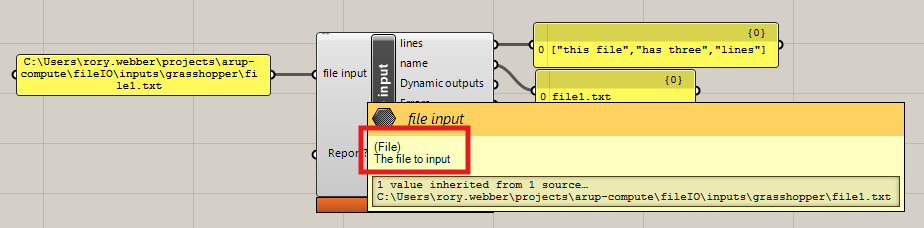
If an input is a file input then the description will have (File) at the start as shown below:
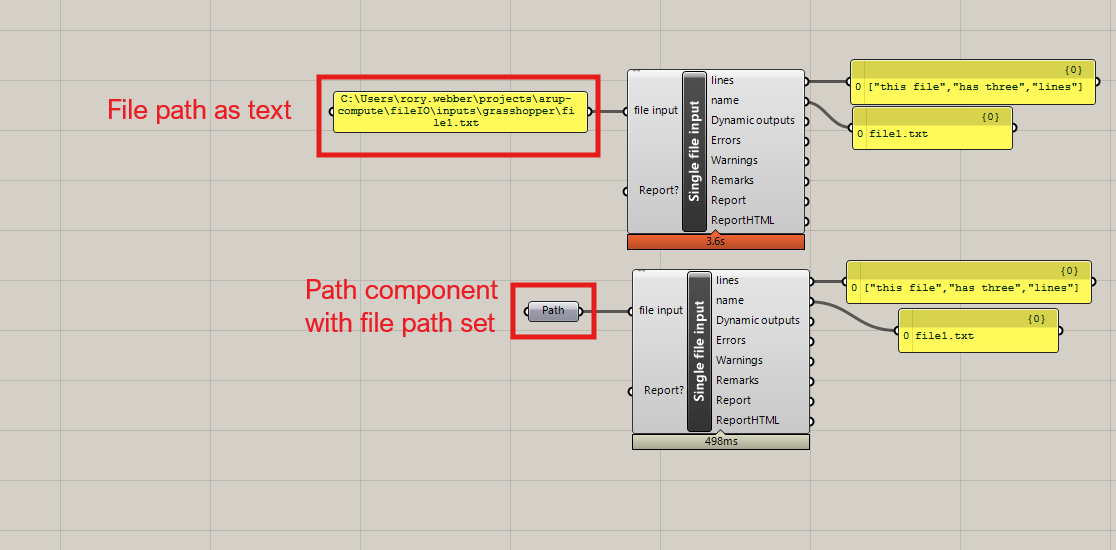
To pass in a file you must pass in the file path for the file you are using. This can be done through either just passing in the complete file path in a panel, or you can use the File Path component in Grasshopper.
File Outputs
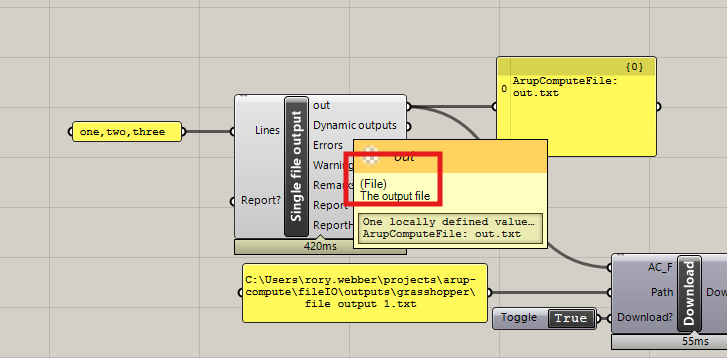
As with file inputs, a file output will have (File) written at the start of it's description to indicate that it will return a file:
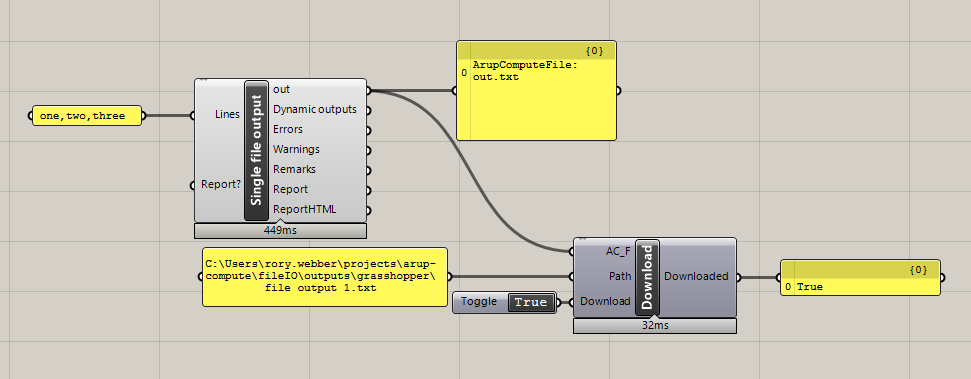
When a calculation returns a file that file will not automatically be downloaded to your computer, you will instead receive a FileResult object. To download the file you must pass the file output into a Download file component. This component can be found in the Arup tab on Grasshopper.

This component takes in three inputs:
- The
FileResultoutput from a file output calculation - The complete path of where to download the file to. This must include the desired file output name, including the file extension
- A boolean toggle for whether to download the file. If set to
Falsethen the file will not be downloaded, if set toTruethe file will be downloaded as soon as all the other inputs are filled
The component will output either True or False depending on whether the file was successfully downloaded.
Below is an example of downloading a file output from a calculation:
Connecting file outputs to file inputs
File outputs from ArupCompute calculations can be passed into ArupCompute calculations with file inputs without needing to go through the Download file component first. An example of doing this is shown below where a text file with three lines is first created using an ArupCompute calculation, and then those lines are read using another ArupCompute calculation:
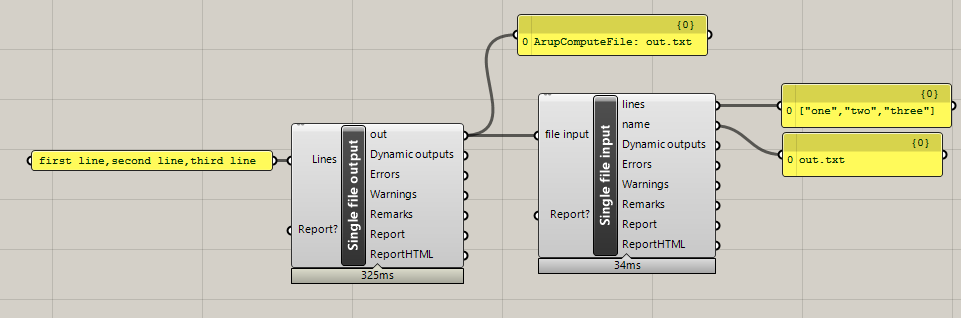
The file will still be downloaded when you pass a file output into an input, but it will only be stored in your computers memory, not in the folder structure, so you will not be able to see the file outside of grasshopper.