Creating your code repository
To use the ArupCompute templates you must first create a new GitHub code repository (repo).
To create a new Github repo go to github.com and click the "New" button.

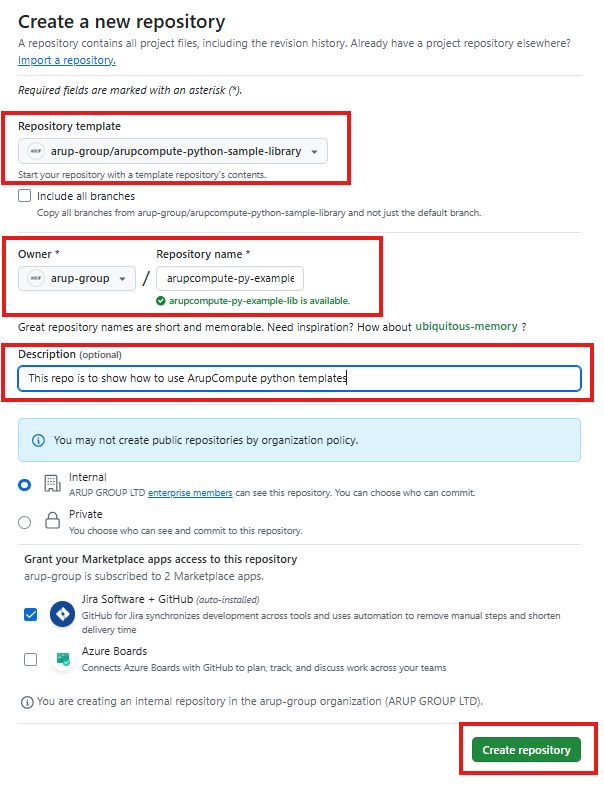
The "Create a new repository" page will open, on it:
- If there is a
Sign in with SSO(or similar) button, click that to connect to your Arup account - Set the "Repository template" to be
arup-group/arupcompute-python-sample-library - Select
arup-groupas the "Owner" - Give your repository a unique name
- Give your repository a short description
Click Create repository once you have filled in each of these sections. The repo may then take a few seconds to be created.
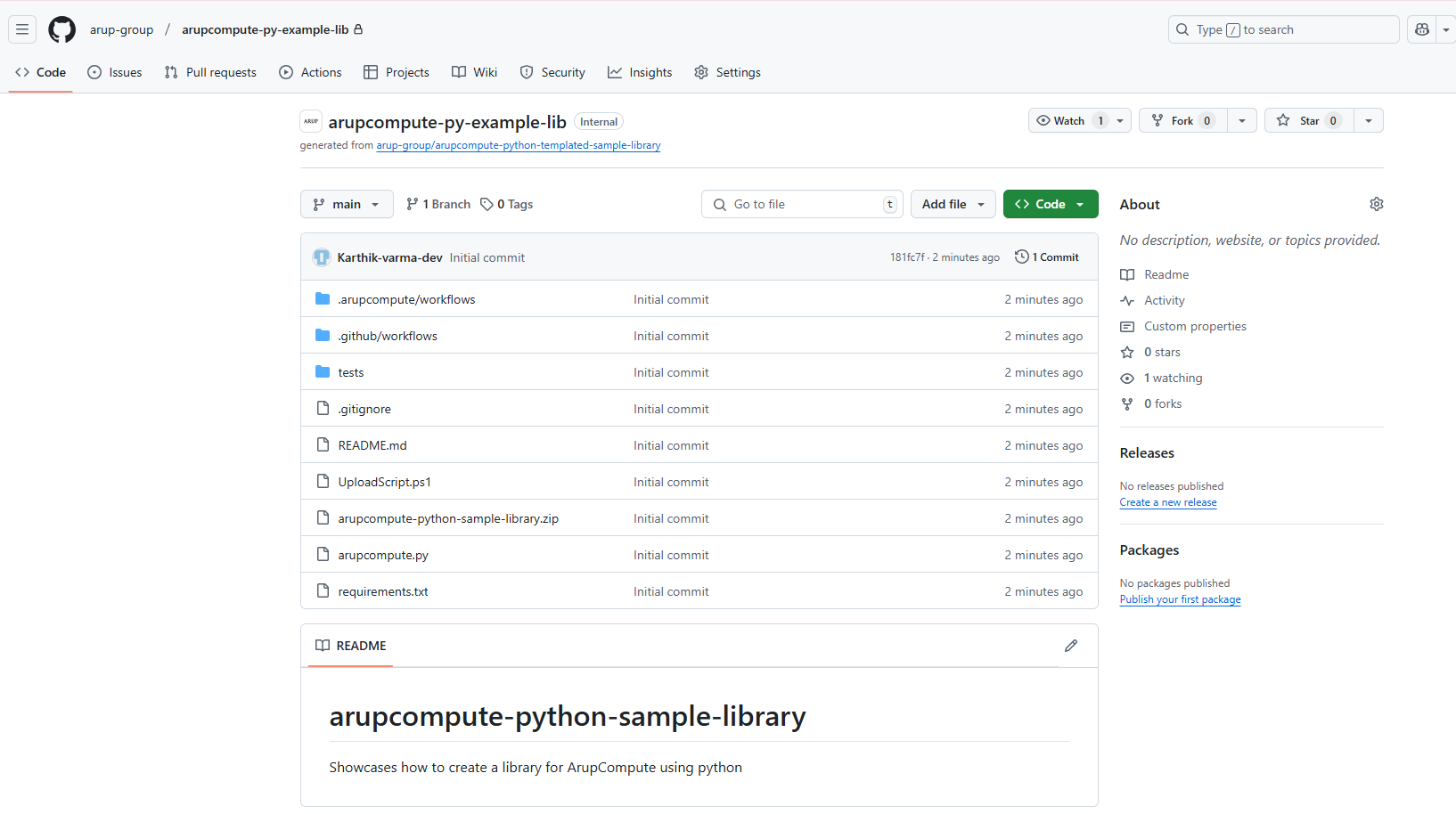
Your repo should look something like the image below:
Next, we will create your new python project within this repo.